
Axialis Screensaver Producer
4.2
Size: 31.82 MB
Downloads: 5220
Platform: Win95,Win98,WinME,WinNT 4.x,Windows2000,WinXP

A while ago, screensavers were only used to prevent phosphor burn-in on CRT and plasma computer monitors by blanking the screen or filling it with moving images or patterns when the computer was not in use. Today's screensavers are used primarily for entertainment or security, as the display technology is far more advanced and CRT monitors are getting fewer and fewer, making way for LCDs. Every Windows operating system comes with some built-in screensavers, but most of them are extremely simple and certainly no eye-candy. It would be great if you could create your own screensaver out of photo or video file. Now you can do this with the help of Axialis Screensaver Producer. It's a software that can create screensavers out of any media file, including image files, video clips, Flash animations and also music files.
It's not a problem installing Axialis Screensaver Producer, as the installation process is piece of cake. Any version of Windows can be used for running this application. Even though the user can create complex screensavers, the system resources won't be affected by this.
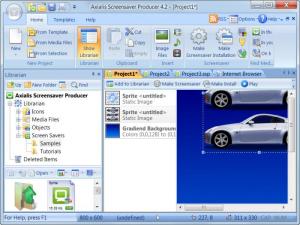
The interface resembles the one of other Axialis products, being extremely intuitive and having all the options in the right place. Running the program for the first time will display a wizard, asking the user what type of screensaver he wants to create. There are more types of screensavers to choose from, like sprite, slideshow, flash or video based. After selecting the desired project, the user will be taken to the next screen, where he can add certain elements, according to the type of selected screensaver. Every step of the wizard can be used by beginners because it's self explanatory.
After adding items to the screensaver, like images or video clips, the user can change various aspects, like the image quality, transition time, transition effect and watermark. The screensaver can be tested and previewed at any moment, allowing the user to make a quick idea about how it will look in the end.
The finished screensaver can be saved as an installation kit or can be published directly on the Internet, to be accessed and downloaded by anyone. Besides that, the screensaver can be saved as a project file or as a template, to be reused.
Pros
It features a simple step by step wizard, that allows the creation of different types of screensaver projects. Moreover, created screensavers can be saved as an installation kit or can be published directly on the Internet.

Cons
The program doesn't include already made templates and the number of options may not please an advanced user. Axialis Screensaver Producer is the perfect tool for creating astonishing screensavers.

Axialis Screensaver Producer
4.2
Download
Axialis Screensaver Producer Awards

Axialis Screensaver Producer Editor’s Review Rating
Axialis Screensaver Producer has been reviewed by Jerome Johnston on 15 Feb 2012. Based on the user interface, features and complexity, Findmysoft has rated Axialis Screensaver Producer 4 out of 5 stars, naming it Excellent







